For print shops, print-on-demand & photographers

AI tools to upscale images for print

Customers send small, soft or noisy files. Upscale them to the pixels a poster, canvas or T-shirt needs, remove noise and blur and correct color, so you can say yes to the order instead of asking for a better file.

  • Upscale up to 16× or straight to a print size at 150 or 300 DPI.
  • Denoise, deblur and color correction with AI Enhancer PRO, together with the upscale.
  • 10 free credits when you sign up.
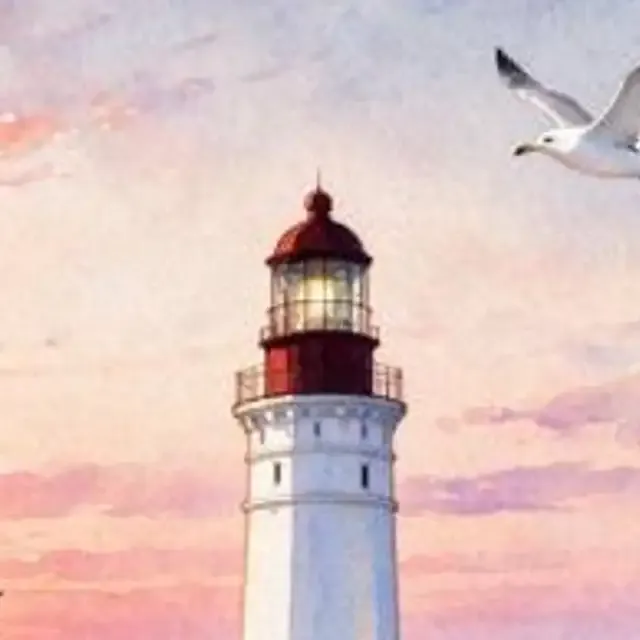
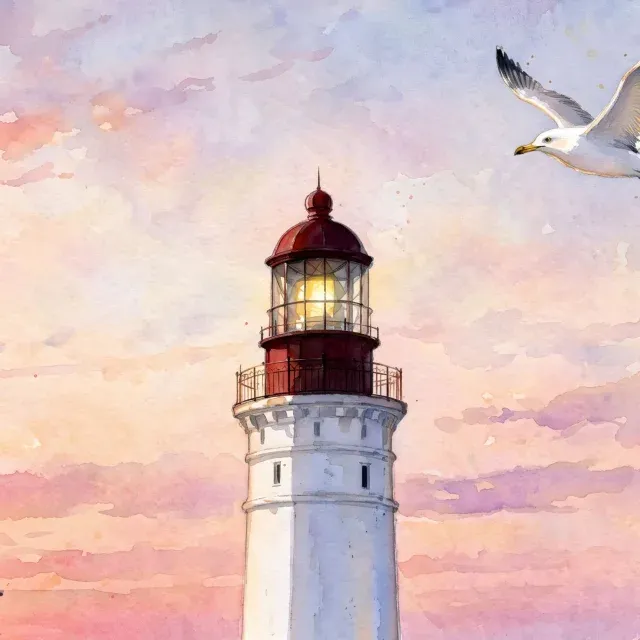
BeforeAfterClose-up of a small watercolor lighthouse print file, soft and pixelatedThe same close-up after a 4× AI upscale, with crisp edges
512 px file → 2,048 px · 4×
Real result · 4× upscale with denoise and deblur, close-up
Experience

since2019

Building image enhancement models.

Upscale

16×max

Or a target print size and DPI.

Batch

50files

In one upload with AI Enhancer PRO.

Your data

NoAI training

We don't use your images to train AI models.

How big can you print it?

Print size × DPI = pixels. 300 DPI is the usual target for photos viewed up close, 150 DPI is enough for posters and canvas seen from a distance.

Print size
Resolution
Your file
px
The print needs3,508 × 4,961 pxUpscale your file 4.2× for a sharp A3 (297 × 420 mm) print at 300 DPI.Upscale to print size
Pixels for common print sizes
Print size150 DPI300 DPI
4 × 6 in (10 × 15 cm)600 × 900 px1,200 × 1,800 px
8 × 10 in1,200 × 1,500 px2,400 × 3,000 px
A4 (210 × 297 mm)1,241 × 1,754 px2,481 × 3,508 px
A3 (297 × 420 mm)1,754 × 2,481 px3,508 × 4,961 px
A2 (420 × 594 mm)2,481 × 3,508 px4,961 × 7,016 px
18 × 24 in poster2,700 × 3,600 px5,400 × 7,200 px
24 × 36 in poster3,600 × 5,400 px7,200 × 10,800 px

A 12 MP phone photo is about 4,000 × 3,000 px: enough for A4 at 300 DPI. A 24 × 36 in poster at 300 DPI needs 10,800 × 7,200 px, about 2.7× more on the long side.

Print-ready files from any upload

What usually stands between a customer's file and a sharp print, fixed automatically.

Upscale to the DPI your print needs

Enter the print size and DPI and the Upscale tool works out the scale, or pick 2× to 16× yourself. AI adds real detail instead of stretching pixels, so edges and textures stay sharp on large formats.

  • Print size in cm or inches at 150 or 300 DPI
  • 2× to 16× or a target size such as 4K or 8K
  • Shows the result size before you run it
Open the Upscale tool
BeforeAfterClose-up of a small lake photo with a wooden jetty, enlarged without AI: soft and blockyThe same close-up after a 4× AI upscale: sharp jetty boards, ripples and pine trees
Real result · 320 px file upscaled 4× with denoise and deblur, close-up

Remove noise, blur and compression artifacts

Phone photos, screenshots and images saved from the web carry grain, JPEG blocks and soft focus that a print makes obvious. Clean them up before you enlarge, in the same request.

  • Denoise for low-light photos
  • Deblur for soft focus and small motion blur
  • Smoother gradients for skies and skin
Enhance with AI Enhancer PRO
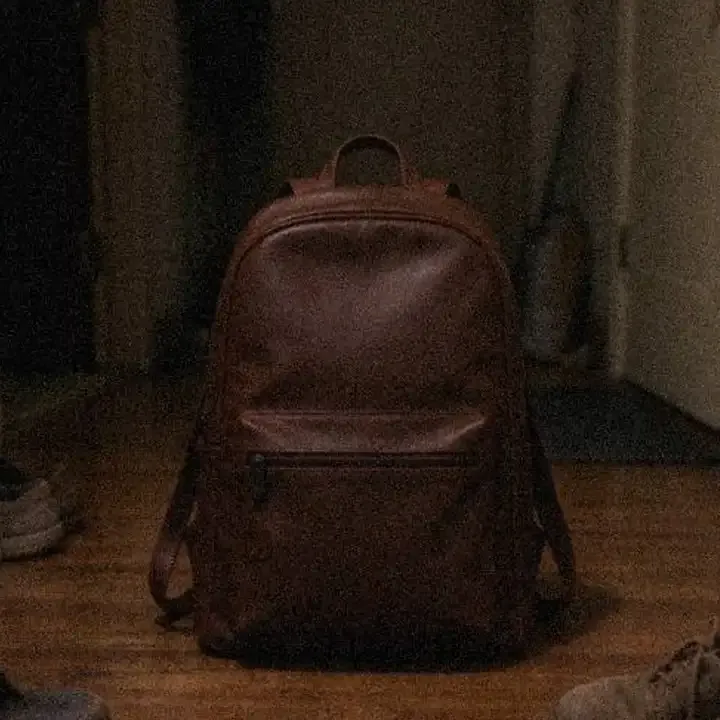
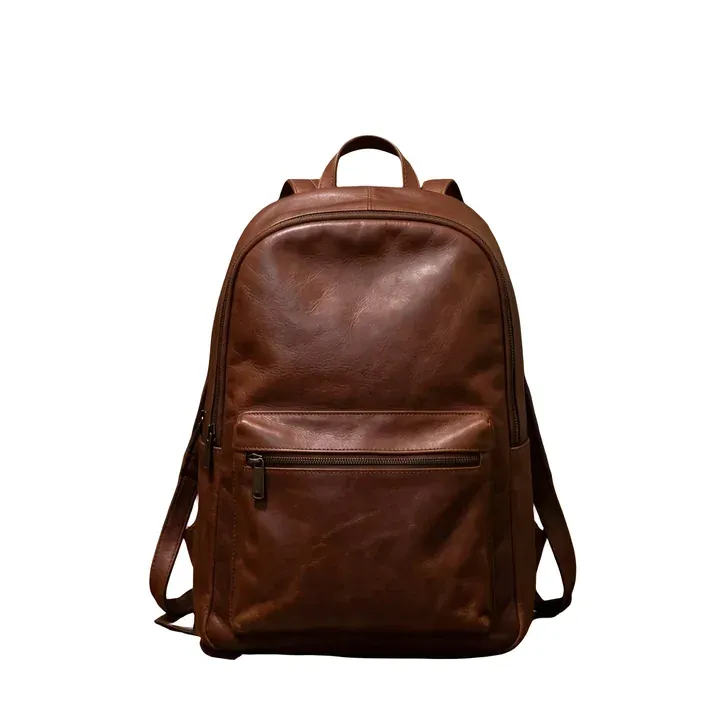
BeforeAfterDim, noisy phone photo of a brown leather backpack in a hallwayThe same backpack, brighter, sharper and upscaled, on a clean white background
Real result · denoise, deblur, light, upscale and background removal in one request

Correct light and color before it hits paper

Dark, flat or color-cast photos print even darker. Fix exposure, contrast and white balance automatically so prints come out the way the customer remembers the moment.

  • Automatic exposure and contrast
  • White balance and color correction
  • The same settings for a whole order
Correct light and color
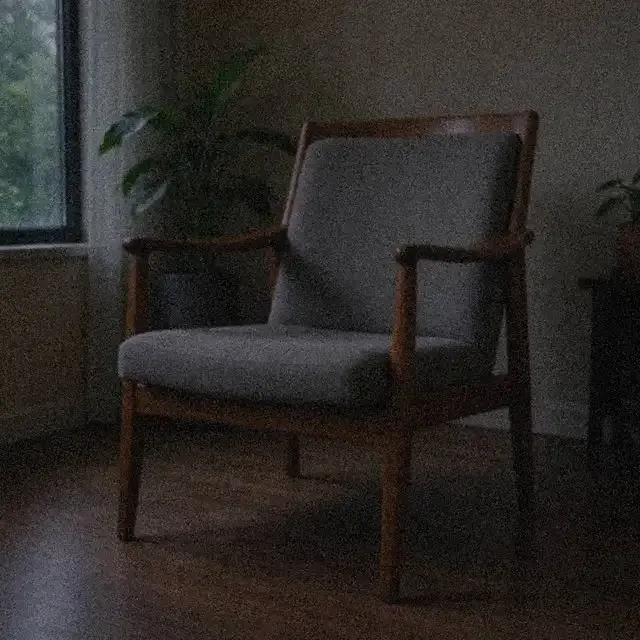
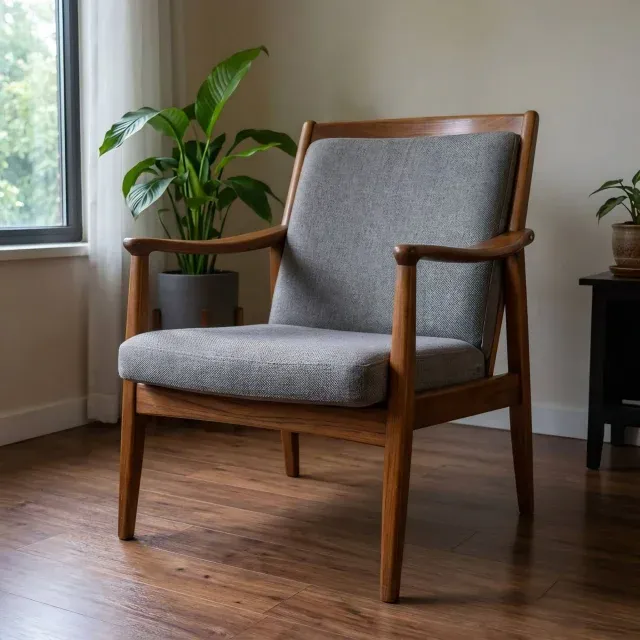
BeforeAfterDark, grainy photo of a wooden armchairThe same armchair photo, brighter with natural colors
Real result · light, color and white balance

From customer file to print in three steps

In the browser for single orders, through the API for a print-on-demand shop.

  1. Upload the customer's file

    JPG, PNG, WEBP, HEIC and more, one file or up to 50 at a time in AI Enhancer PRO.

  2. Choose the print size or scale

    Set the size and DPI or a scale in Upscale. If the file is also noisy, blurry or dark, use AI Enhancer PRO, which fixes that and upscales in one go.

  3. Download and print

    Get a high-resolution file ready for your printer or print-on-demand partner.

Tools for print and print-on-demand

Pay per image, start for free

From $0.04 / €0.04 per image

10 free credits when you sign up. Then credits from a subscription or a one-time package. We don't use your images to train AI models.

See full pricing

Large volumes or your own integration?

Automate the whole workflow with the REST API, or talk to us about volume pricing, a test on your own images and a workflow we set up for you.

Frequently asked questions

What resolution do I need to print a photo?

Multiply the print size in inches by the DPI. For a sharp photo print at 300 DPI, an 8 × 10 in print needs 2,400 × 3,000 px. Posters and canvas viewed from a distance look good at 150 DPI, so an 18 × 24 in poster needs 2,700 × 3,600 px.

Can AI upscaling make a small image good enough for print?

In most cases, yes. AI upscaling adds detail rather than just stretching pixels, so edges and textures stay sharp. Results depend on the source: a clean small file upscales very well, a heavily compressed or very blurry one improves but cannot gain detail it never had.

How do I upscale an image to 300 DPI?

Open the Upscale tool, choose Target size, then Print size, and enter the print's width and height and 300 DPI. The tool works out the scale and shows the result's size before you run it.

How large can I upscale?

Up to 16× in the account Upscale tool. The largest output depends on your plan; see the pricing page for the resolution each plan allows.

Can I process a whole print order or a print-on-demand catalog?

Yes. Upload up to 50 files at once in AI Enhancer PRO with the same settings, or call the REST API from your shop so every uploaded design is upscaled before it goes to print.

Which file formats are supported?

Common photo formats such as JPG, PNG, WEBP and HEIC. Through the API you can also send TIFF and camera RAW files.

Do you use customers' files to train AI models?

No. We don't use your images to train AI models.

Never turn down a print order again

Upscale your first file for free, or talk to us about automating files from your print shop.